
On-Course Play
Play outside. Record the round. Replay the evidence at home.
Jetta’s on-course GPS workflow is designed to let a player record tee location, shot locations, clubs, lies, putting, and hole review moments while the round is happening.
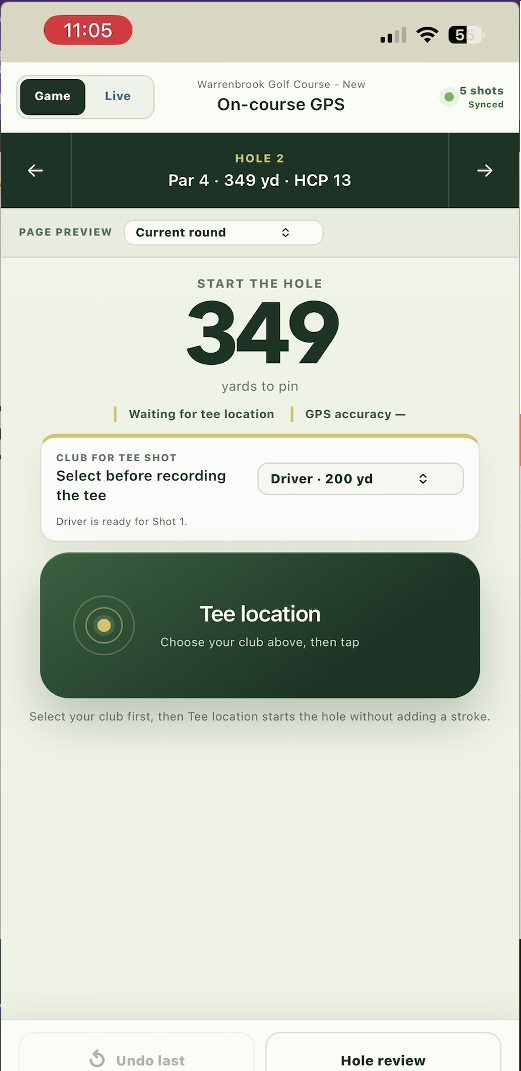
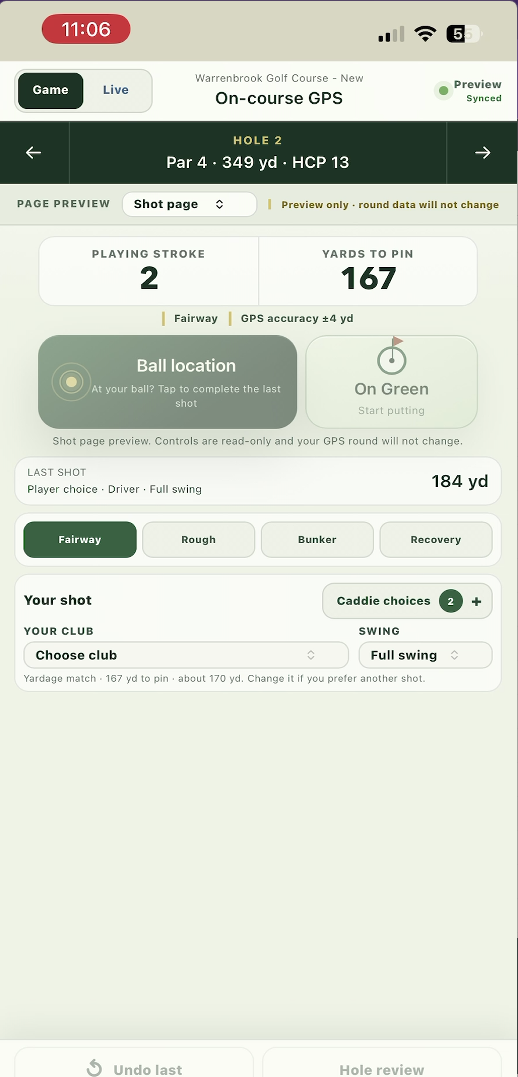
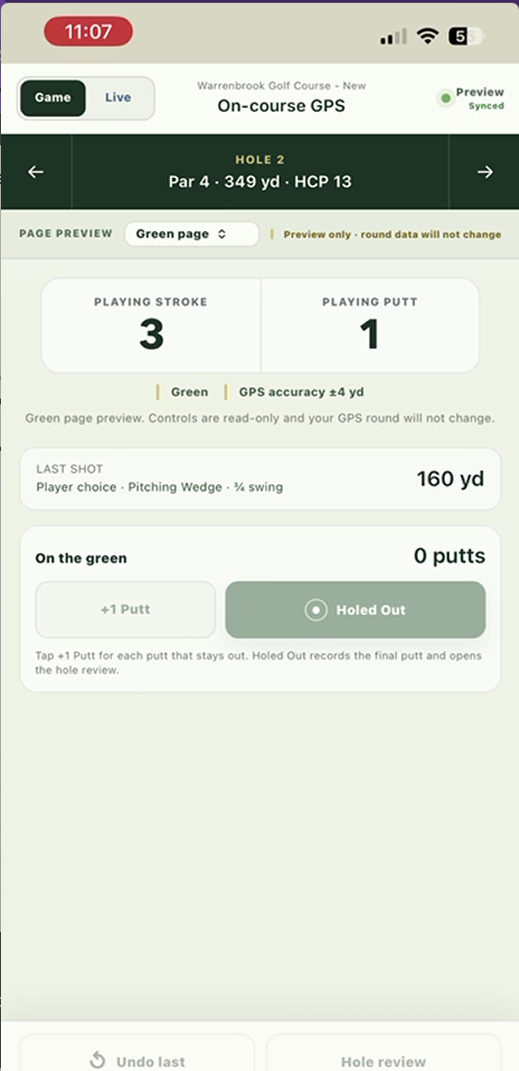
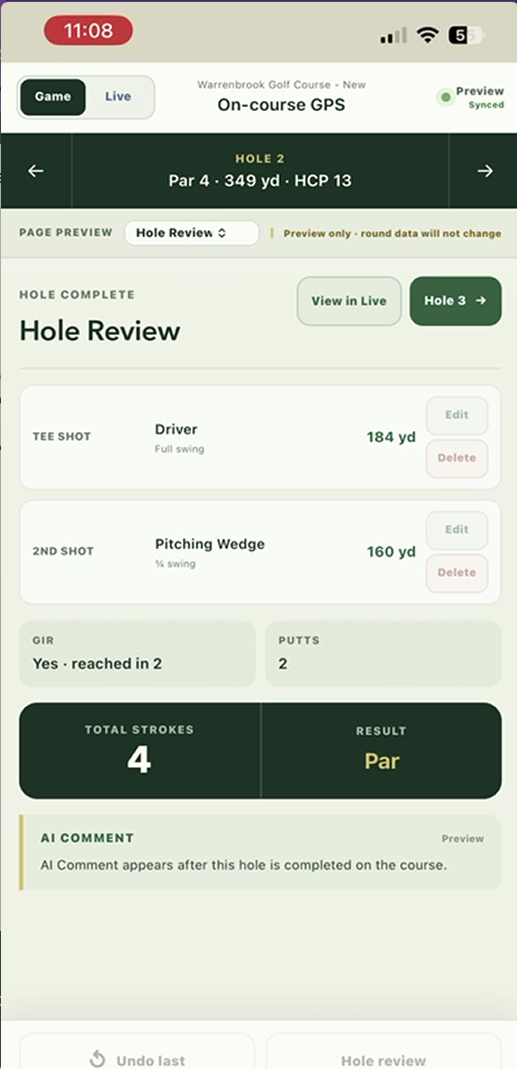
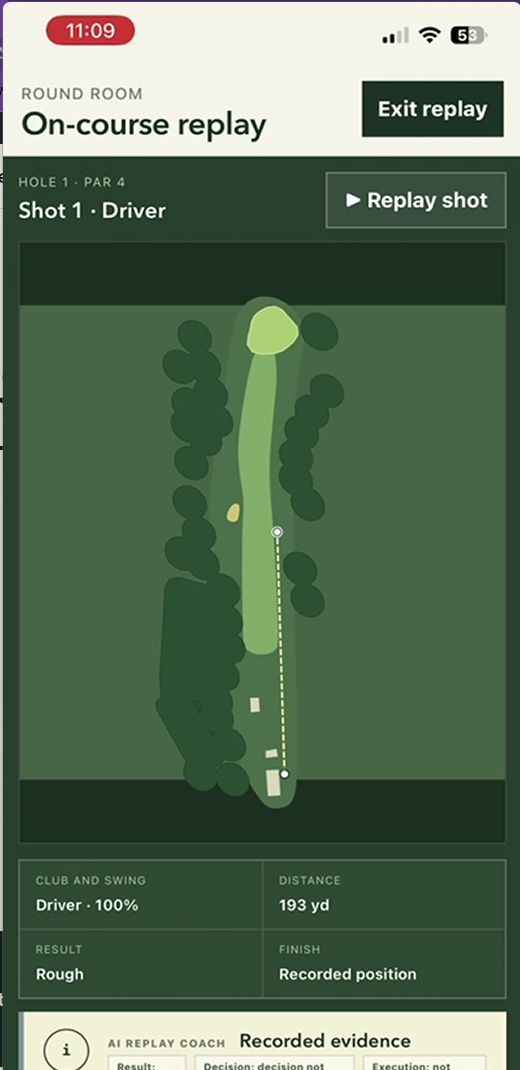
01 On the tee
Start with the real position.
The player selects a club and records the tee location before the hole begins, keeping the round tied to the course.
02 During play
Record each shot.
After a shot, the player records ball location, lie, club choice, swing type, and the next situation.
03 After the round
Replay what happened.
At home, the round can be replayed as recorded evidence, helping the player and coach review choices without relying on memory.
The round becomes coachable evidence.
Instead of trying to remember every choice after the fact, the player can bring back a sequence of recorded shots, lies, clubs, results, and replay moments for the next learning conversation.
Save on your phone. Upload after the round.
Jetta keeps on-course GPS captures in this browser on your phone during play. When you finish, the completed round is queued locally and upload starts in the background. Pending rounds remain queued until the server confirms completion; use Upload finished games to retry.
Connect before starting to sign in, load the course, and authorize your first GPS activity. Keep the same browser and its stored data until upload is confirmed. Local saving reduces reliance on an active connection during play; it does not provide offline app startup.
GPS practice
Learn the GPS workflow before your first round.
Choose Try 18-hole practice in GPS mode to walk through tee, fairway, green, putting, and review using simulated positions. You can restart or exit practice without changing your real GPS round.
Practice stays on your phone and is not uploaded to your account. Simulated locations let you rehearse the controls at home; they do not measure real shots.
Review every recorded round after play
After using GPS On-Course Mode, players can retrieve the round in PC On-Course Replay, turn the evidence into Learning Reports, and share the decision pattern with a coach through the For Coaches workflow.